How To Change The SEO Separator of Your Shopify Store
how to change your separator on shopify that shows in Google

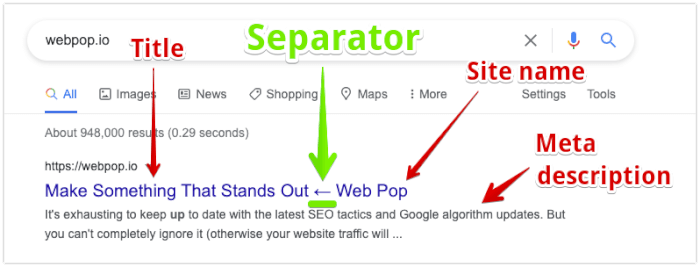
When Google displays your page in search results, it shows the searcher several details about the page. The result includes these main parts: Here is an example of how they appear: Most Shopify themes use a dash (“-”) as the default separator. A dash does the job, though many sites use it. A different separator … Read more

How To Set Up Amazon Payments On Shopify (Amazon Pay)

shopify amazon pay

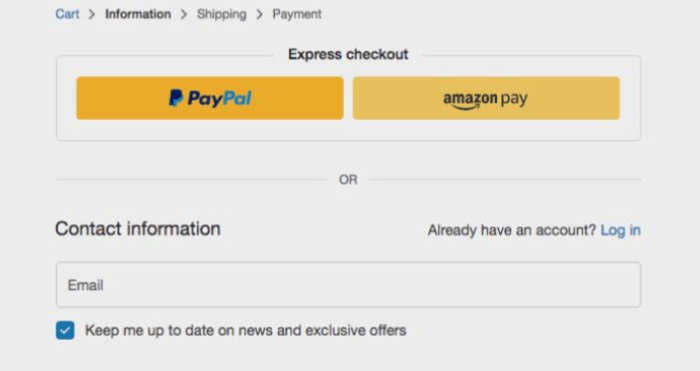
Amazon Go makes checkout almost effortless. The stores have neither registers nor cashiers. You take your items out of the store, and Amazon automatically bills your account. Amazon Pay brings that same smooth checkout experience to your Shopify store. Customers can buy without typing a card number or creating another account. Here is how Amazon … Read more

How To Set Up An Auction on Shopify (The Easy Way)

shopify auction

Would you like to sell some of your Shopify products at auction? Selling to the highest bidder through an auction can maximise the profit from your products. Shopify has no built-in feature for running auctions in your store. You can still hold them: several Shopify apps let you set up auctions on your store quickly … Read more

How to Give Your Customers Store Credit on Shopify (You Can’t, But You Can Give A Gift Card or Discount)

shopify store credit issue gift card

Cash refunds can be frustrating for Shopify store owners. Refunds reduce revenue and cash flow for business owners, whether or not a request is legitimate. Processing them also takes time. Refunds are an unavoidable part of running an ecommerce business. Online purchases have a return rate of at least 30%, compared with 9% for purchases … Read more

How to do a Test Order on Shopify: A Step By Step Guide

shopify test order

A Shopify test order checks whether your store can take payments. Run this check early so you can start getting paid without delays. Discovering a broken checkout after paying for ads is frustrating. Test the checkout before spending that money. A Shopify test order lets you check that each of the following parts of checkout … Read more

How To Backup A Shopify Store (Manually & Using An App)

Shopify Backup Export Products

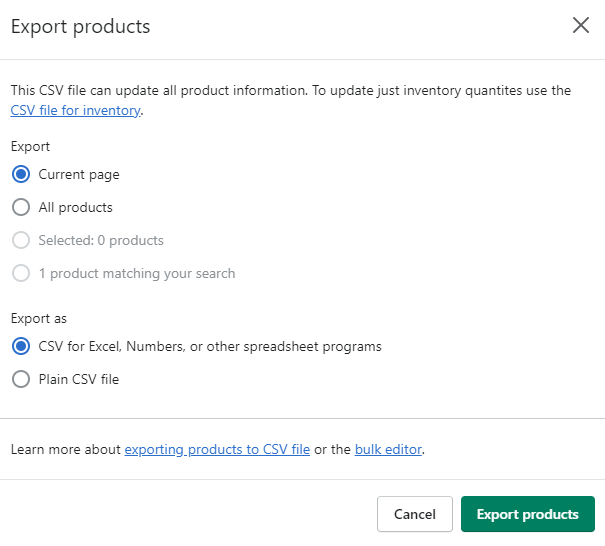
A Shopify store can lose data in several ways. Opening a phishing scam could let an attacker hack the store. A DDoS (Distributed Denial of Service) attack could take the website offline. You might also delete something accidentally by pressing the wrong button. That could mean losing a store you spent months designing. Without a … Read more

How To Set Up And Manage Multiple Shopify Stores (The Easy Way)

inventory

As an e-commerce business grows into more products and regional markets, separate Shopify stores can make sense. You can run several stores under one domain name if you can manage the work involved. Managing them can be difficult. The tips below explain how to handle several Shopify stores. To go straight to setting up multiple … Read more

How To Remove Powered By Shopify From Your Store (Fast)

powered by shopify code

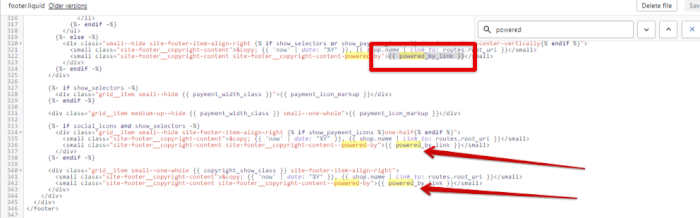
Removing the “Powered by Shopify” text from the default footer at the bottom-left of the page can improve your website’s appearance. The change takes little work and can noticeably affect the site’s look and feel. It helps your audience understand who you are and what your team stands for. Consistent, authentic branding across your website … Read more

How to Create Shopify Sub Collections (Collections Within Collections)

shopify collections within collections

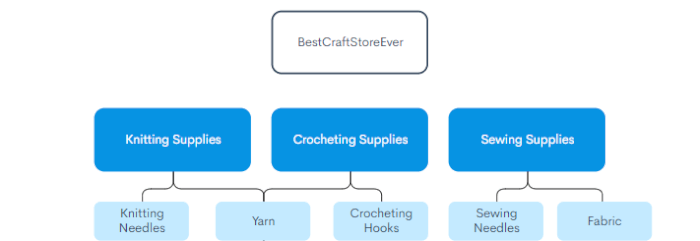
Shopify collections group products so customers can shop more quickly and easily. Use them to select top products and give bestsellers or seasonal items a prominent place. This improves conversions and brings more sales to the business. Setting up Shopify subcollections can be difficult, especially when the guidance you find mainly promotes plugins or services. … Read more

How To Add Images To Your Shopify Menu (The Easy Way)

Shopify Add Images To Menu

A restaurant photo can persuade you to order a dish by catching your attention and making it look appealing. Images beside items in your Shopify store can increase sales in the same way. Customers like to see what they are buying. Showing products immediately helps shoppers find what they want faster, with fewer clicks. Making … Read more

How To Add A Sitemap To Your Shopify Store (Fast)

Shopify Sitemap

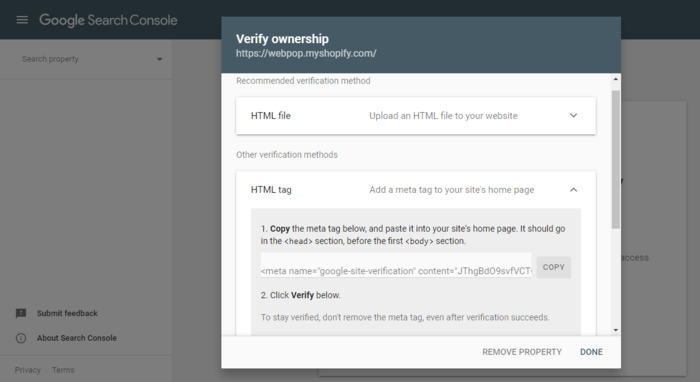
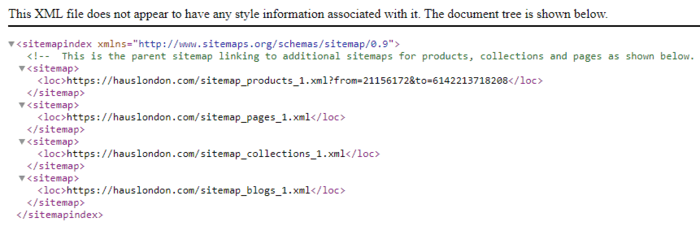
Organic search traffic helps protect a business that relies on paid ads. If visitors stop coming when the ads stop, an ad-account ban could seriously harm sales. SEO can provide regular online sales and improve profit margins. Adding a sitemap is part of SEO for your Shopify store. Why Add A Sitemap To Your Shopify … Read more

Shopify Image Sizes: The Definitive Guide (in 2026)

Shopify Image Sizes

A cluttered physical store is hard to move around, and poorly displayed goods make it difficult to see what you are buying. You would probably leave soon after arriving. A Shopify store can prompt the same response. Large product-image files can slow a Shopify site. Blurry photos and inconsistent sizes, along with cluttered layouts, can … Read more

How To Fix “There are no shipping methods available for your cart or destination” Shopify Error (Fast)

Shopify No Shipping Methods Available 1

After adding products and designing your store, a test order may return “There are no shipping methods available for your cart or destination.” That error can be frustrating when the store otherwise looks ready. A customer who reaches checkout needs to be able to enter shipping details and complete the order. Use the checks below … Read more

How To Delete Your Shopify Account (And Cancel Your Subscription)

Shopify Sell Or Close Your Store

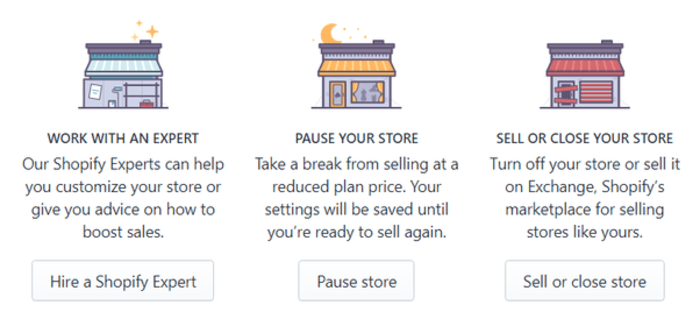
If you are stepping away from Shopify or busy with other projects, you can pause or stop the monthly subscription for a store you are not using. Follow these steps to pause or delete your Shopify store. Things You Should Know Before You Delete Your Shopify Account Closing a Shopify store takes a few minutes. … Read more

How To Find And Edit Your Shopify Thank You Page

Default Thank You

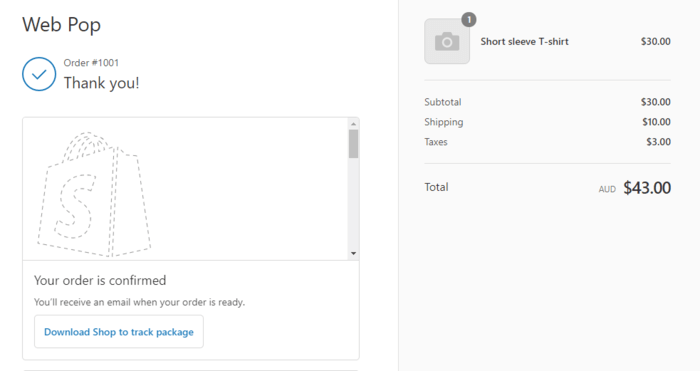
You have probably seen this at a shop counter. Small items sit beside the till so you might add one to your bag without much thought. That impulse purchase gives you a little pleasure and raises the store’s revenue per customer. Your Shopify thank you page can encourage similar purchases through upselling and cross-selling. For … Read more

How To Change Your Shopify Store Name (Quickly)

Shopify Change Store Name Website

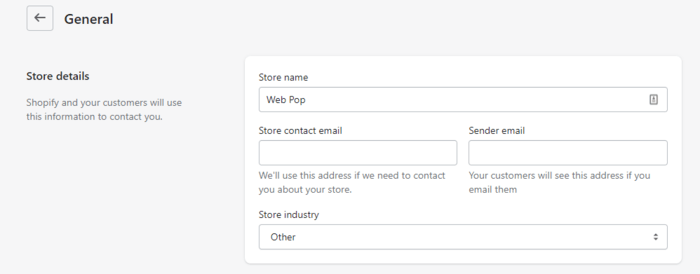
You might want to rebrand your store so customers recognise your business more readily. Or perhaps you regret the name you chose in a late-night brainstorming session and cannot remember how to change it back. Follow these steps to change your Shopify store name. Changing Your Shopify Store Name You can change your Shopify store … Read more

How To Add Custom CSS To Shopify (Or Edit Existing CSS)

Shopify Css Code 1

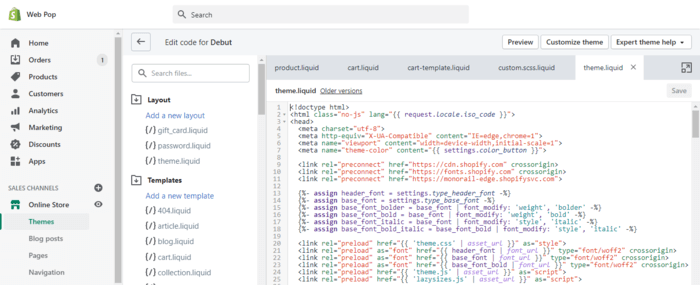
You may have a store design in mind that none of the Shopify themes or apps can reproduce. Custom CSS lets you adjust your shop’s appearance to match that design. Follow these steps to add custom CSS to your Shopify store or edit it. 1. Backup Your Site A backup is not technically required before … Read more